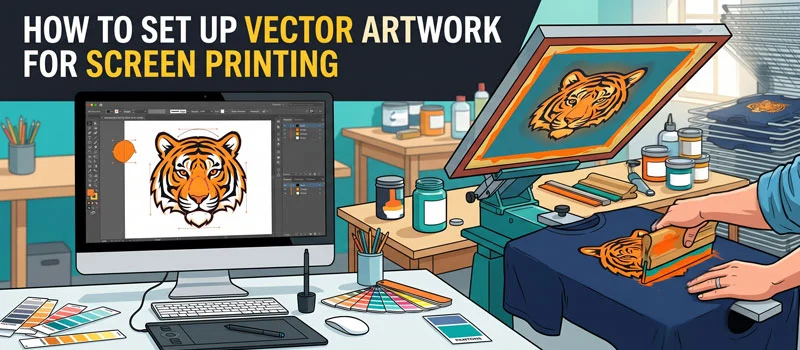
Setting up the document correctly is mandatory for screen printing. Otherwise, a great design will come out wrong. Are you facing colors that look off and edges appear rough? The problem usually isn’t the design. It’s the setup.
For professional results, your vector artwork needs to be prepared correctly before it goes to print. Artwork Vectorization will help you with that. You will learn how to set up vector artwork for screen printing.
Why Vector Files Are Required for Screen Printing?
Screen printing needs accuracy. Each color in your design is applied using a separate screen. Therefore, your artwork needs to be defined clearly. That accuracy is never possible without vector artwork. Vector files provide accurate color separation.
It’s perfect for scaling for any print size. If you use raster images, you will get blurry edges.
Screen printing requires precise control over how ink is applied. Vector artwork allows printers to work with defined areas. So, you can control ink flow in a better way.
Overall, it will help you to maintain consistent results for multiple prints. A properly prepared vector file makes the entire printing process faster. You can rely on Vector Art Conversion for proper vector files.
How to Set Up Vector Artwork for Screen Printing?
- Choose the Right File Format
- Convert All Text to Outlines
- Set Up Colors the Right Way
- Use Proper Line Thickness
- Separate Colors
- Check Artwork Size
Choose the Right File Format
This is the most important factor. You have to make sure you’re working with a proper vector file. So, which is the best format for screen printing? You can rely on AI (Adobe Illustrator), EPS, and vector-based PDF. These formats keep your vector artwork editable. You can get a print-ready file as well.
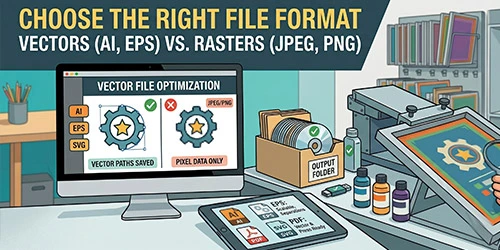
You must avoid using JPG, PNG, and PSD. Sometimes, people get convinced after seeing clear-looking JPG files on screen. But the printing results of JPG are totally different from the screen. It won’t perform well in printing. Choosing the right file format will give you a solid base for perfect screen printing.
Convert All Text to Outlines
Sometimes fonts look faded after screen printing. Fonts can cause unexpected issues during printing. Do you know the reason behind that? If your printer doesn’t have the exact font you used, your design can change. It can also break your design completely. So, what’s the solution?
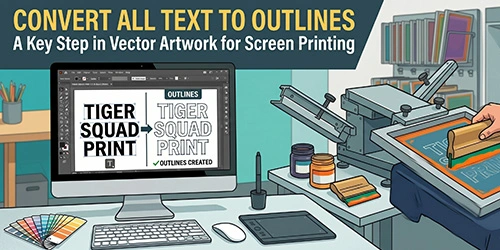
You just need to convert all text into outlines. It is also called curves in the screen printing sector. Basically, this turns your text into shapes. It looks exactly the same no matter where it’s opened.
This is a must-have thing for vector artwork with text on it. The next step is another important one of how to set up vector artwork for screen printing.
Set Up Colors the Right Way
Color setup is the most important part of screen printing. To get the best results, you should stick to solid colors. You have to avoid gradients and complex shading. Screen printing works best with solid fills. Also, you can use spot colors. Each color in your design should be clearly defined.
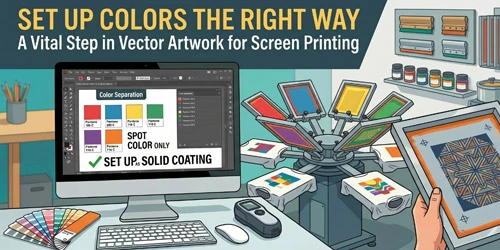
This helps create separate screens for each color. If you want precise color matching, you should use standard color systems like Pantone. The final look of the print is directly related to the color setup. So, maintaining Pantone color code will match the screen printing results with the original color.
Use Proper Line Thickness
Thin lines look good on your screen. In screen printing, they are not the best option. If lines are too thin, they can disappear during printing. So, you should avoid ultra-thin strokes. It is important to keep lines bold enough to hold ink. Always test visibility at actual print size.
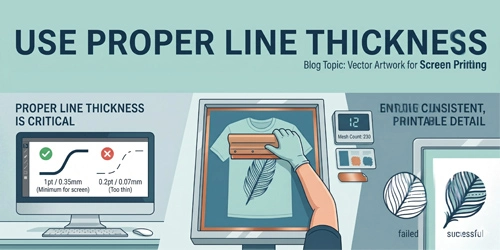
You should design with the physical print in mind. Those small changes will set up your vector Artwork for screen printing. Designing for screen printing means thinking about ink, fabric, and pressure. Small adjustments in line thickness make the difference between a clean print and a poor print.
Separate Colors
Your design needs to be separated into individual color layers. Each layer should contain only one color. You should not use overlapping colors. This makes the printing process smoother and avoids errors. Using clearly defined solid colors is a good option. Try to avoid gradient colors.
Also, label your layers clearly if possible. It will prevent the screen printing from misaligned prints, colors mixing unintentionally, and extra production time. During screen printing, each color is applied one at a time using a separate screen. Without a separate color, the printer won’t know how to process them correctly.
Check Artwork Size
You must set your design to the actual size for printing. Without correct dimensions, screen printing will go wrong during production. You must adjust spacing and proportions properly. You must match the exact print dimensions. For screen printing, you have to do those adjustments before sending the file for printing.
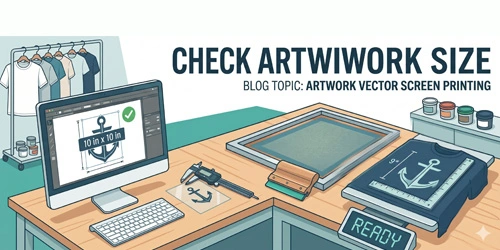
Alongside that, you have to check the alignment for the center, left chest, etc. Before you send your vector artwork, take a few minutes to clean it up. You should remove hidden layers and unused elements. Also, no need to use extra anchor points. Try to keep background shapes minimal.
5 Common Mistakes to Avoid For Screen Printing
- Using raster images inside vector files
- Adding too many colors
- Forgetting to outline text
- Using gradients and shadows
- Making the design complex
Sum Up
Now, you should not have confusion about how to set up vector artwork for screen printing. If you follow the above steps properly, you will get perfect screen printing results. A small mistake in your vector file can damage the final print.
When everything is set up correctly, the results will be professional. If you want your designs to look exactly the way you imagined, take the time to prepare your artwork. If you need to fix the vector artwork, we are available to help you. Don’t hesitate to contact us anytime.
FAQ’s
What is vector art for screen printing?
Vector art for screen printing is artwork created using lines, shapes, and solid colors. That can be separated easily for printing. It is the ideal format for t-shirts, merchandise, and promotional products.
How to create vector artwork?
Vector artwork is created using vector-based graphic design software. Designers draw shapes and paths instead of working with pixels.
Do you need vectors for screen printing?
Screen printing requires proper color separation. Raster images can’t provide reliability. Vector files help avoid printing issues. So, vector artwork is mandatory for screen printing.
What software is best for vector drawing?
Adobe Illustrator is known as the best software for vector drawing. CorelDRAW is also popular for creating vector art for printing.
Is SVG the same as vector?
SVG is a type of vector file. But not all vector files are SVG. Vector refers to the format of the artwork made with paths and shapes. SVG is one specific file format.